// cd /blog/micropython-book-cmm2
Learn Python on the CMM2 and the Pico Computer 3 with one book
The MicroPython app in MMBasic 8.00.00b2 for the Colour Maximite 2 has been checked against Programming the Pico Computer 3, the course in Python written for the PC3. All 162 of the book's example programs were run on a CMM2, and every one of them runs. The same book now teaches Python on both computers, and a new edition is free to read online.
One book, two computers
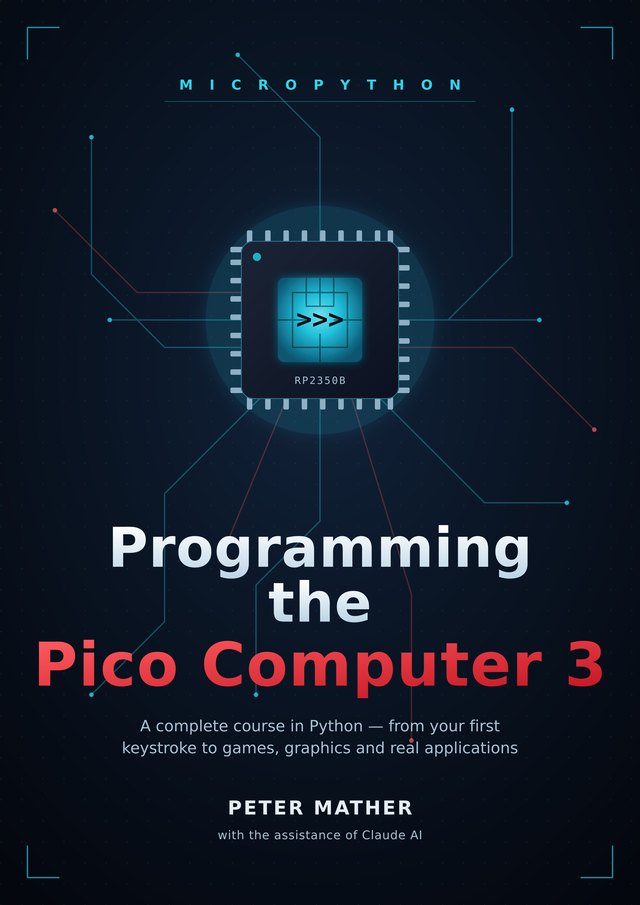
Programming the Pico Computer 3 is a complete course in Python, from your first keystroke to games, graphics and real applications. It's written for people who have never programmed, and for MMBasic users who want to add a second language. Every chapter is done on the computer itself, at its own screen and keyboard, with no PC needed beyond getting MicroPython onto it.
The Colour Maximite 2's MicroPython is the Pico Computer 3's MicroPython, with the same modules for the screen, sound, keyboard and mouse, the same libraries, SQLite and ulab. Version 8.00.00b2 of the firmware completes it with the PC3's clock, pins, networking and the rest, so nothing in the book is left out. Every example program in the book, the language exercises, the graphics and sound, the games, the GUI apps, the database, the clock, the internet and the I/O projects, was run on a Colour Maximite 2. All of them run.
The new edition of the book has a chapter for CMM2 owners, Appendix K, and notes in the chapters where a CMM2 does something its own way.
On this page
What's in the book
Each chapter is built around something you make: a picture, a sound, a toy, a game or an app. New ideas arrive when the project needs them, not as a tour of features. Every chapter ends with Experiments, guided changes to try, and Challenges, open-ended ones, with hints at the back for when you're stuck. Every program listing is complete, so you can type it in and run it as it stands.
| Part | Chapters | What you learn and make |
|---|---|---|
| I. Meet your computer | 1–5 | The >>> prompt, files and folders, the file manager and the editor. Your first program, and how to make one start at switch-on. |
| II. Learning Python | 6–14 | Variables, decisions, loops, lists and dictionaries, functions, strings and files, errors and debugging, and classes. Every idea becomes something you see: turtle graphics, a guessing game, a quiz, a high-score table. |
| III. Graphics, sound and input | 15–21 | The screen up close, bitmaps and sprite sheets, smooth flicker-free motion, sprites, tile maps, sound and music, and reading the keyboard and mouse. |
| IV. Making games | 22–26 | The game loop, then three complete games: Breakout, Asteroids and a tile-map adventure with characters, dialogue and saved games. Then the polish that makes a game feel finished. |
| V. Real applications | 27–33 | Desktop-style apps with a GUI toolkit, SQL databases, the real-time clock and alarms, the internet over Wi-Fi, fast maths and plotting, the I/O pins, and other people's libraries. |
| VI. Under the hood | 34–36 | Doing several things at once with timers, interrupts, the watchdog and asyncio; performance and memory; and the system itself, from what happens at switch-on to backing up your work. |
| Appendices | A–K | A cheat sheet, a translation table from MMBasic, the modules, the hardware, the Python the book teaches, challenge hints, a glossary, troubleshooting, more on classes, the Northwind database, and the Colour Maximite 2. |
If you already know MMBasic, the book meets you there. There are 49 Coming from MMBasic notes through the chapters, each tying a Python idea to the BASIC one you already know, and Appendix B gathers them into one translation table.
Starting on a Colour Maximite 2
The CMM2 switches on into MMBasic, and MicroPython is a program you run from the SD card. It works on every generation: the G1 and G2 on a VGA monitor, the G3 on HDMI.
- Install MMBasic 8.00.00b2 or later. The CMM2 page has the steps, and they're the same for this release.
? MM.VERat the prompt shows the version you have. - Copy
micropython.appfrom CMM2_Programs_8.00.00b2.zip to the root of the SD card. - At the MMBasic prompt, type:
RUN "micropython.app"A couple of seconds later you're at the >>> prompt, on the screen and on the serial console. Skip chapter 2, which installs MicroPython on a PC3, and start at chapter 3. From there the book works as written. machine.reset() takes you back to MMBasic.
Appendix K is the short list of what's different on a CMM2:
- Files. The SD card is both
/and/sd, so every path in the book works unchanged. Move files with the card, or with MMBasic's XMODEM and ZMODEM before you start MicroPython. - Pins. MicroPython names the CMM2's rear-connector pins by the same GP numbers the book uses, so the I/O projects of chapter 32 run as printed. Appendix K's table shows which connector pin each one is on.
Pin("LED")blinks the SD card light on the front. - Wi-Fi. With the WiFi module, chapter 30 runs as written: web requests over HTTPS, network time and MQTT. Give it your network once at the MMBasic prompt, with
OPTION WIFI "MyNetwork", "MyPassword". - The keyboard. Set its layout once with
OPTION KEYBOARDat the MMBasic prompt.
Starting on a Pico Computer 3
The book was written on the Pico Computer 3, and that's where it begins. Chapter 2 takes you through installing MicroPython from the releases page: one file, dragged onto the board. Then plug in a screen, a keyboard and an SD card, and switch on. The PC3 boots straight into Python, and the book takes it from there.
The same board runs MMBasic and FUZIX too, so trying Python costs nothing: install the MicroPython firmware, and put MMBasic back whenever you like.
What the CMM2 brings
The CMM2's processor runs Python about twice as fast as the Pico Computer 3's, so the timings in chapter 35 come out smaller. Version 8.00.00b2 gives its MicroPython everything the PC3's has:
- The clock and alarm of chapter 29, on the CMM2's battery-backed clock.
- The I/O pins by the PC3's GP numbers, with analogue inputs, PWM, I2C, SPI and serial ports.
- asyncio, the watchdog, and native code with
@micropython.nativeandviper. - The internet with the WiFi module: sockets, web requests over HTTPS, MQTT, network time and
mipfor installing libraries.
And one thing the PC3 doesn't have: the cmm2 module, which lets Python use the machine's own BASIC. cmm2.basic() runs an MMBasic statement and cmm2.evaluate() returns the value of an MMBasic expression:
import cmm2
print(cmm2.evaluate("MM.DEVICE$"))       # which Colour Maximite 2
print(cmm2.evaluate("MM.INFO(SDCARD)"))  # the card's state
cmm2.basic('TIME$ = "09:30:00"')         # an MMBasic command
The App User Guide's MicroPython chapter lists everything the app has.
Getting the book and its programs
- Read it online, free, a page per chapter, with the figures. It works on a phone too.
- Every example program is on GitHub, in a folder for each chapter, ready to copy to the SD card. Typing them in teaches more, but they're there when you want to compare.
- The book's source is on GitHub too, one Markdown file per chapter.
Problems, questions and ideas are welcome on The Back Shed forum.