// cd /cmm2/g3
Colour Maximite 2 G3
The Colour Maximite 2 with HDMI. The G3 is a G2 whose picture goes to an HDMI transmitter instead of VGA, and whose sound plays through the HDMI screen and the audio socket at the same time. Everything else is the G2's, so G2 programs and add-ons work on it unchanged.
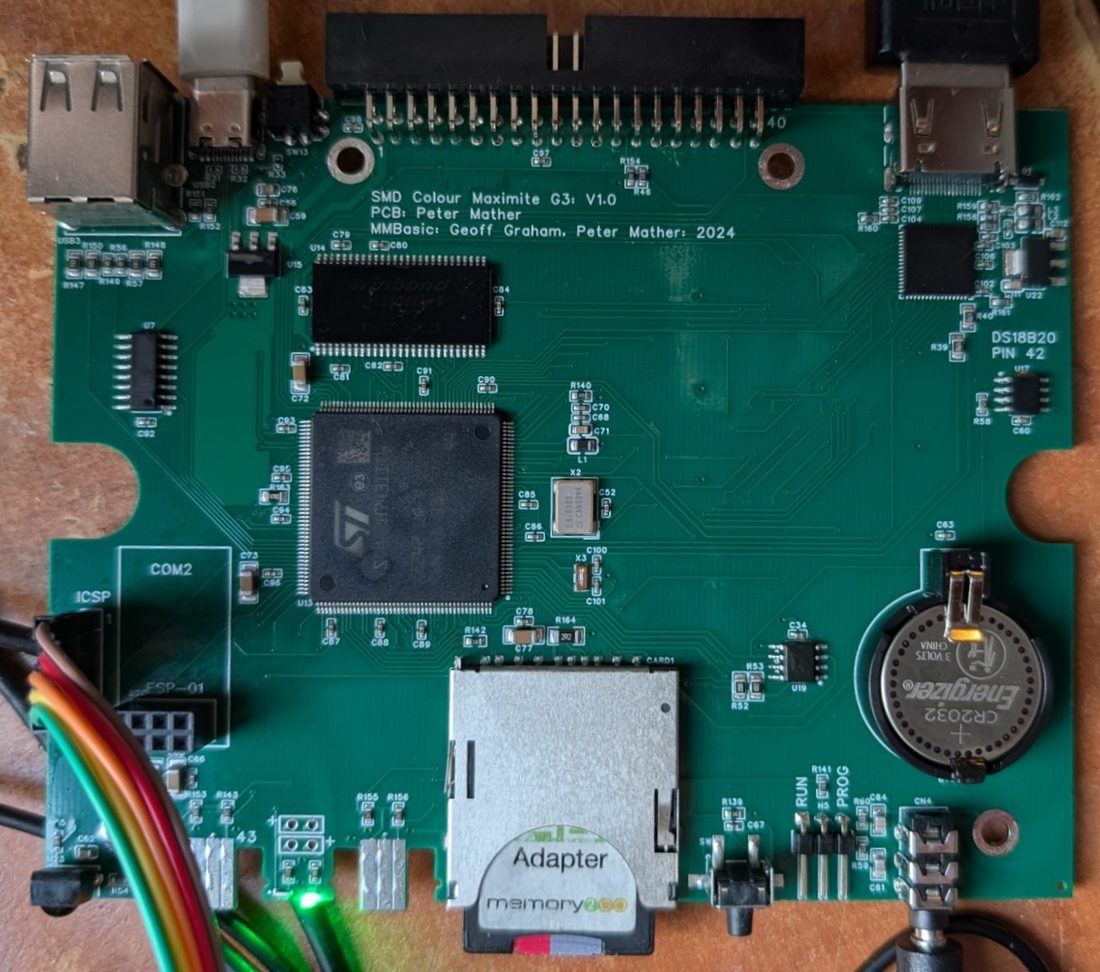
What's different from the G2
Only two things, and both are about getting the picture and the sound to a modern screen.
- Video
- HDMI, from a MacroSilicon MS7210 fed with the processor's 24-bit digital video, in place of the G2's VGA socket and its resistor ladders
- Sound
- Every sound plays through the HDMI screen and the 3.5 mm audio socket at once
What's the same
The rest of the board is the G2's: the STM32H743 processor, 32 MB of SDRAM, the SD card, the USB socket for a keyboard, mouse and gamepads, the PS/2 mouse, power and the serial console over USB, the 40-pin I/O header, the Wii Nunchuk and Classic connector, the IR receiver, the DS3231 real-time clock with its backup battery, and the DS18B20 temperature sensor. The Colour Maximite 2 User Manual describes them all.
Because the I/O header is the same, the WiFi module fits a G3 exactly as it fits a G2.
The picture
A G3 shows all the G2's video modes on an HDMI screen, up to 1920 × 1080 at 60 Hz, from the moment it's switched on. Because the signal is digital, there's nothing to adjust:
- Full colour levels in every mode, whatever
OPTION VGA OUTPUTsays. - No centring: HDMI tells the screen where the picture is, so
OPTION HORIZONTAL OFFSETisn't needed and the monitor's auto-adjust never comes into it. - Standard timings: modes with wide pixels are sent at standard HDMI timings with each pixel repeated. Mode 7 reaches the screen as 640 × 480 at 75 Hz, mode 12 as 1920 × 1080 at 60 Hz and mode 13 as 800 × 600.
- Small screens: mode 18 is sent as 1024 × 600 at 60 Hz, the resolution of many small HDMI displays.
- DVI monitors: for a monitor that doesn't accept the full HDMI signal,
OPTION DVI ONsends plain DVI. The picture is the same, and the sound goes to the audio socket alone.
Programs can tell which board they're on: MM.DEVICE$ returns "Colour Maximite 2 G3".
The sound
A G3 sends every sound to the audio socket and to the HDMI screen together. There's no option to set: PLAY VOLUME sets both, and a screen without speakers simply stays silent while the socket carries on.
| Source | Through HDMI | Through the audio socket |
|---|---|---|
WAV, FLAC and MP3 files, MOD music, PLAY MIDI and FM synthesis, and loadable programs' sound such as Doom's | All 16 bits | 12 bits, as on a G2 |
Tones, SOUND, BBC Micro sounds, speech and samples | 12 bits | 12 bits, as on a G2 |
Programs that drive the audio hardware directly: CSUBs, POKEs, the DAC command | Silent | As on a G2 |
Firmware
G3 support is part of MMBasic V8.00.00 for the Colour Maximite 2, from its first beta. One firmware file runs on the G1, the G2 and the G3: at start-up it recognises a G3 by its HDMI transmitter, which answers on the same I2C bus as the real-time clock, and sets it up. The firmware is loaded exactly as on a G2.
Building one
The design files are in the Pico-Computer-3 repository, named CMM2 V2 G3 V1.1. They hold the EasyEDA Pro project, the Gerbers, and a bill of materials and placement file with LCSC part numbers, which is everything a board house needs to make and assemble the board.
The HDMI transmitter is the MacroSilicon MS7210 (LCSC C2914249), with its own 1.2 V regulator.
- SchematicPDF of the whole board
- GerbersZip file for the board house
- Bill of materialsExcel, with LCSC part numbers
- Placement fileExcel, for assembly
- EasyEDA Pro projectTo change the design